The Power of Mind Mapping
At its core, a mind map is a visual diagram used to capture, organise, and structure information. Instead of presenting data in a rigid, top-to-bottom linear list, a mind map places a central concept in the middle of a blank canvas and radiates related subtopics outward as connecting branches.
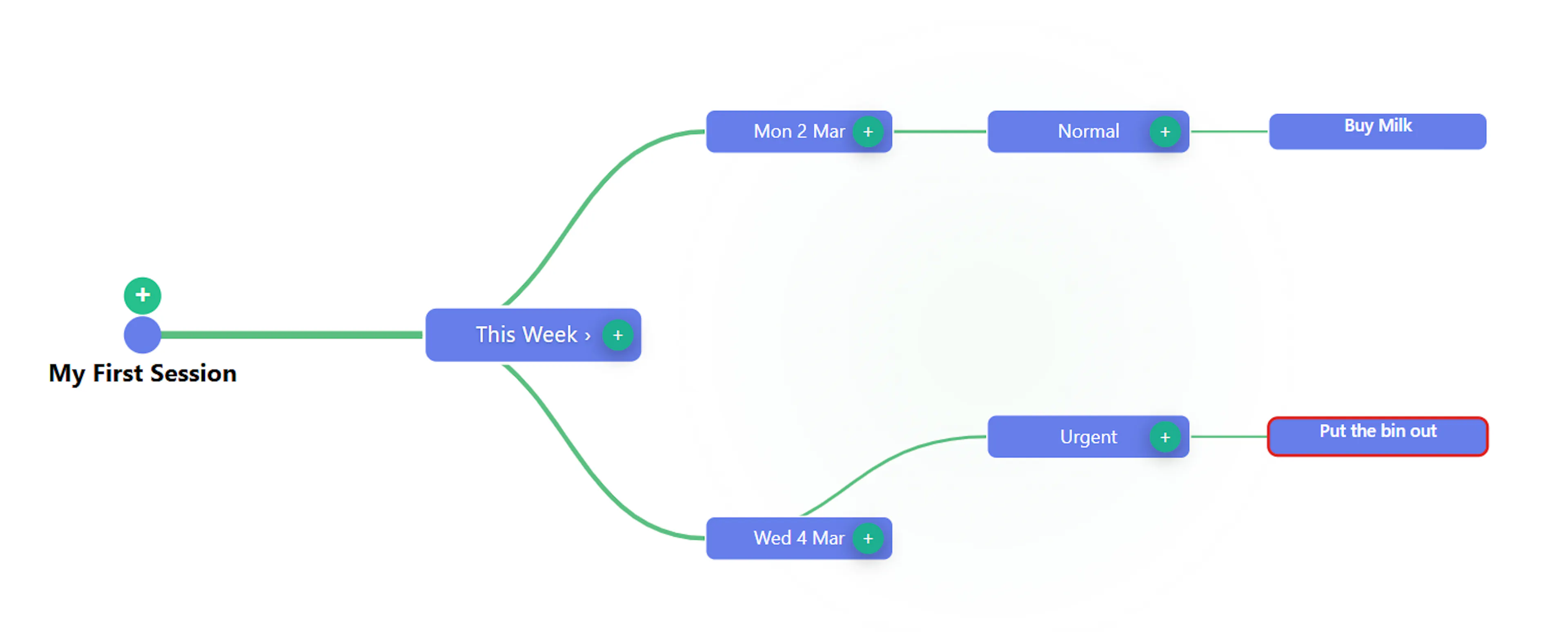
Mind maps are great for showing structured information visually because they are very similar to how the brain naturally processes and connects information. They are highly effective because they rely on spatial relationships, hierarchies, and visual cues (like colours and icons) rather than dense blocks of text. In a properly structured mind map, multiple child elements are distributed and vertically centred around their parents' positions, creating a balanced, easily readable bilateral tree. This structural approach allows a user to instantly grasp the "big picture" at a glance while also providing the ability to follow specific branches down to the most granular details.
How Mind Mapping Benefits Mind Dump
As we discussed earlier, Mind Dump’s philosophy is to separate your raw data from its presentation. Mind mapping serves as one of the platform's most powerful presentation layers, specifically catering to visual thinkers. It benefits the Mind Dump ecosystem in two major ways:
1. Visualizing Complex Task Hierarchies
When dealing with massive, complex projects, looking at a flat list or a deeply nested outline can become overwhelming. Mind Dump allows you to switch your task databases into a Mind Map View.
-
Spatial Relationships: Parent tasks become central nodes, and their sub-tasks branch out around them.
-
Customisable Aesthetics: Users can customise how these relationships are drawn on the canvas, choosing between Curved, Straight, Elbow, Smooth Bezier, or Organic branch styles.
-
Visual Prioritisation: Mind Dump embeds essential metadata directly into the visual nodes. Using a clear legend, the mind map highlights tasks with visual badges—such as 🔥 for "Urgent" items or 📝 for tasks that contain notes—allowing you to visually scan an expansive project for critical bottlenecks without having to click into individual records.
2. The Email Mind Map (Visualising Communications)
Mind Dump takes the traditional, linear email inbox and reimagines it as an interactive, spatial diagram.
-
Bilateral Tree Layout: The Email Mind Map places a central "Email" node in the middle of your screen. It then branches outward into "date" nodes (e.g., the last three older days branch to the left, while the four newer days, including "today," branch to the right).
-
Read/Unread Categorisation: Each date node further branches into specific categories for "Read" and "Unread" messages, which finally branch out into the individual email nodes themselves.
-
Focus Mode and Interactivity: Because these trees can get large, Mind Dump makes them highly interactive. You can drag to pan around the canvas, zoom in and out, and single-click nodes to selectively collapse or expand massive branches. If you double-click a specific date, the app enters "Focus Mode", dimming the rest of the map to centre purely on that day's communications.
-
Task Linking: In Focus Mode, the mind map actively renders smaller "task nodes" alongside your emails, drawing visible links between an incoming message and the specific Mind Dump tasks associated with it.
By incorporating mind mapping, Mind Dump transforms raw, overwhelming databases of tasks and emails into structured, spatial landscapes that users can effortlessly explore, filter, and comprehend.
Here is a basic example of a mind map, displaying the details of the example task data used in the Quick Start Adding Your First Tasks.